


EasyMatch Quality Central:
Software for Managing Your Colour Data
EasyMatch® Quality Central is the PC-based software platform
for the centralized management of your color measurement data from the HunterLab L2 series of measuring instruments.
-
Manage color measurement data centrally
-
Standardize Processes
-
Ensuring Quality Across All Locations
EASYMATCH QUALITY CENTRAL
Centralized Control Over Your Colour Quality
In many companies, color measurement data is stored on different devices, computers, or at various production sites. This makes it difficult to compare results and increases the effort required to manage consistent testing methods.
EasyMatch Quality Central consolidates this information in one central location. Quality managers gain a complete overview of colour measurement devices, WorkSpaces, standards, tolerances, and measurement results.
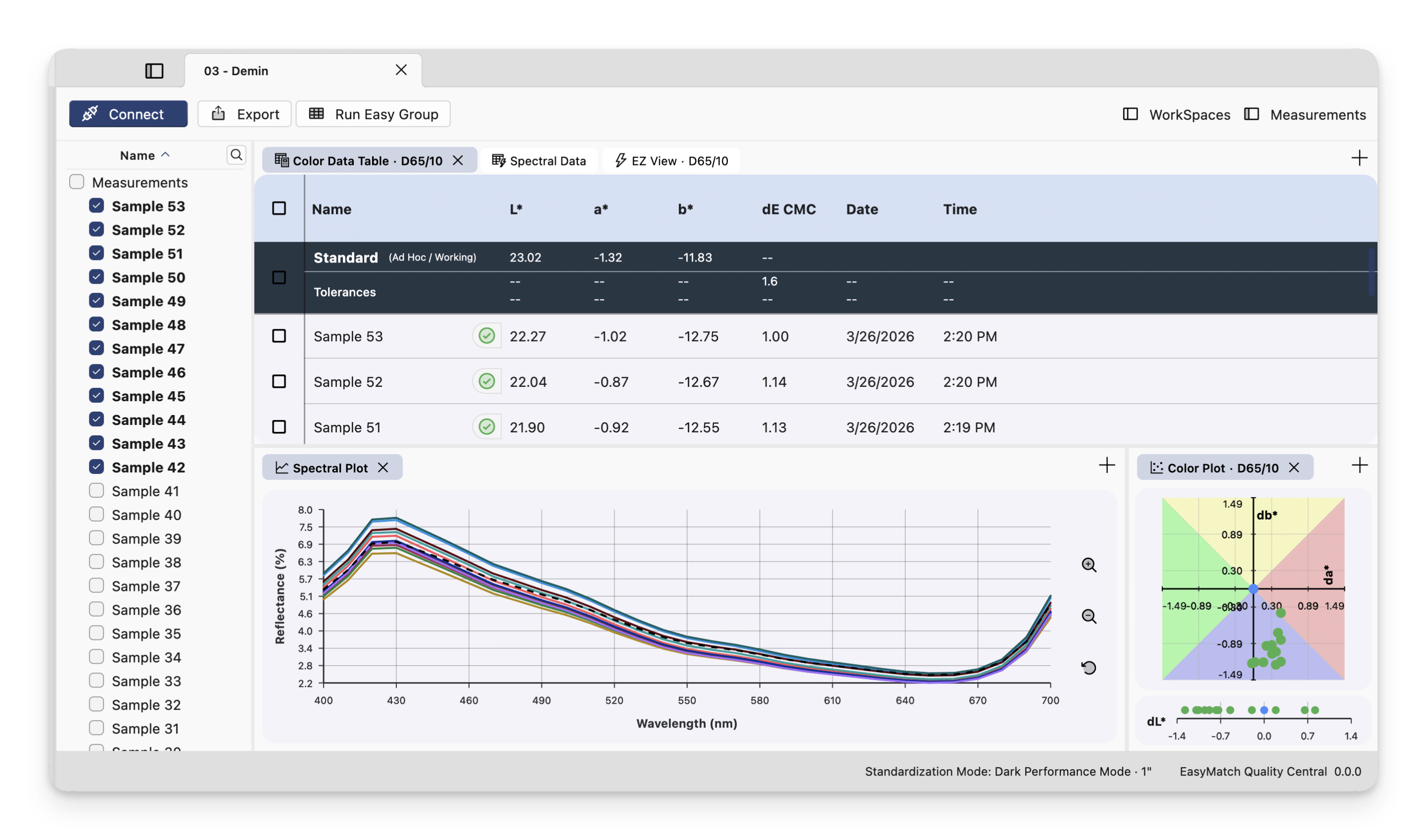
Display of a color value table, a spectral diagram, and a Yxy 2D color plot.
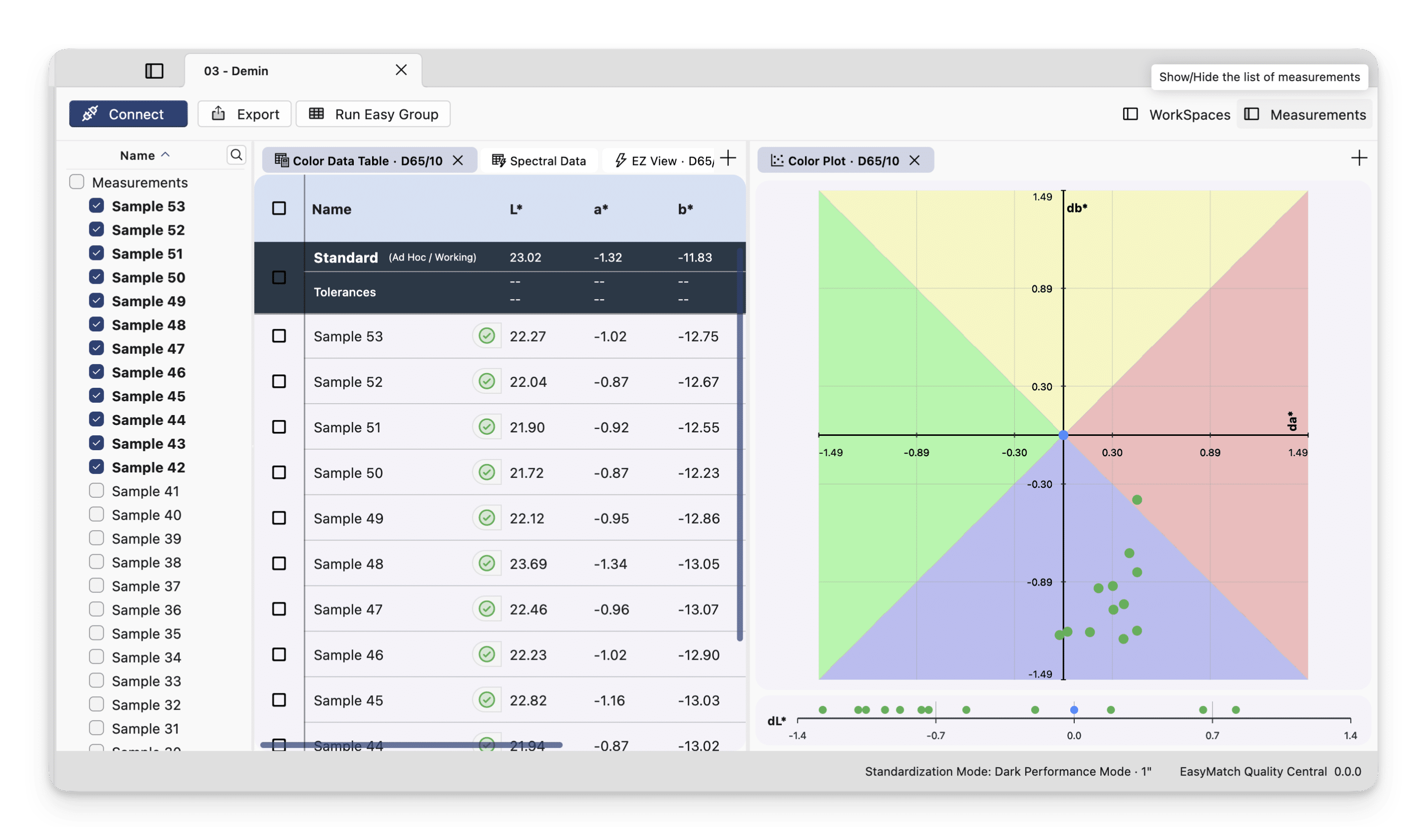
Clear presentation of relevant measurement values in a color value table and an L*, a*, b* 2D color plot.

Comparative representation of a sample containing UV-active substances: UV-Included and UV-Excluded in an EZ-View image.
Compatible HunterLab colour measurement devices
Level Up: The Latest Measurement Devices with Essentials L2
EasyMatch Quality Central was developed for HunterLab measuring instruments with built-in EasyMatch Essentials L2 software.
Currently, these include:
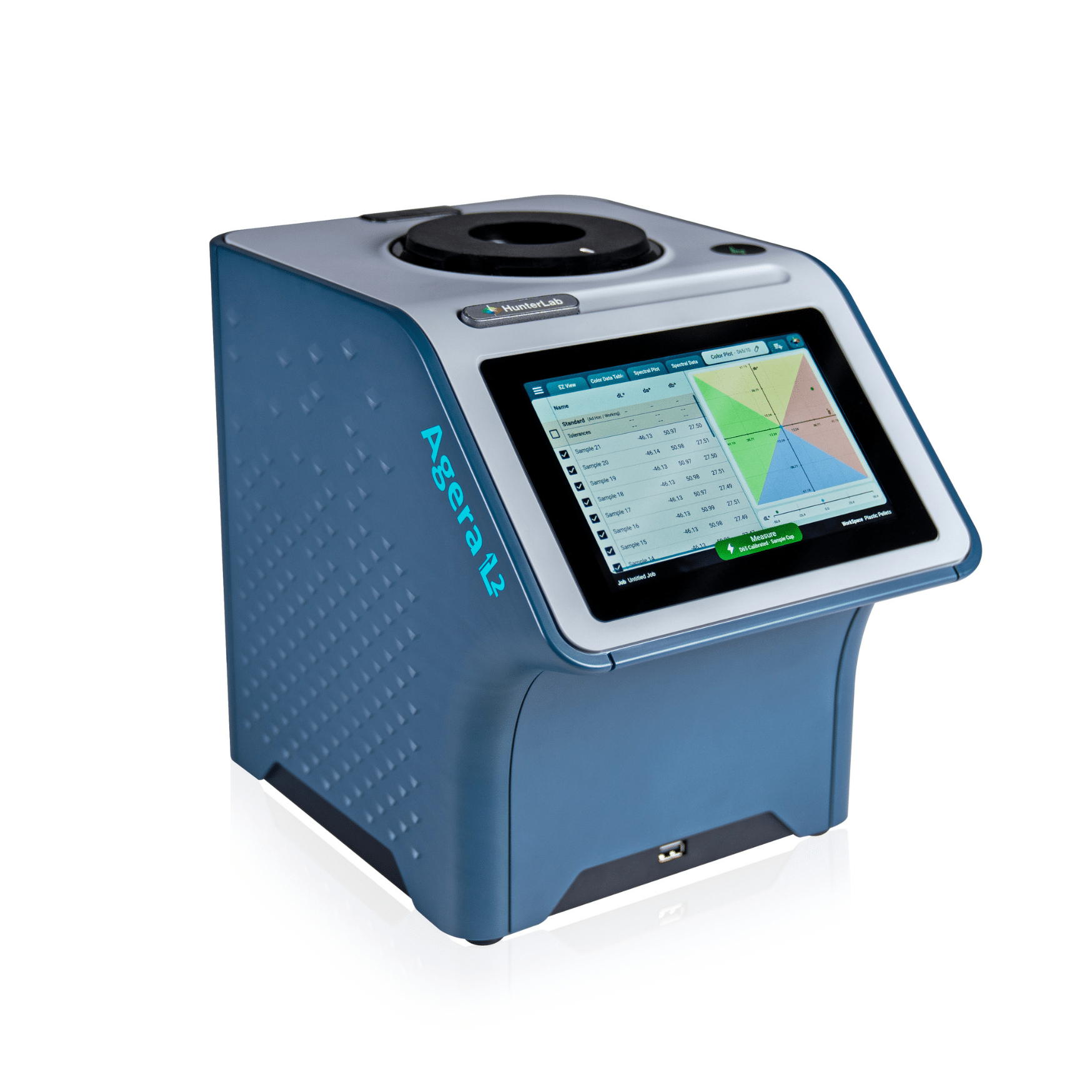
Agera L2
Reference colour measurement device for demanding applications in laboratories and quality control. In addition to colour measurement, gloss and high-resolution image data can also be centrally managed, depending on the application.

ColorFlex L2
Compact 45°/0° colour measurement device for routine quality control of food products, powders, granules, plastics, and numerous other materials.

Vista L2
Spectrophotometer for the simultaneous measurement of transmission color and haze in transparent liquids, solids, and films.

CONNECTING MULTIPLE MEASURING DEVICES
Connecting Various HunterLab L2 Devices to a PC
Consistent colour tolerances are particularly important when raw materials, intermediate products, or finished goods are inspected at multiple locations. With EasyMatch Quality Central, central quality specifications can be defined once and distributed in a controlled manner to the connected measuring devices. This helps reduce variations in measurement procedures, manual data transfers, and local deviations. Adding an instrument to Quality Central gives you access to the WorkSpaces, jobs, and measurement data stored on that instrument. Multiple Quality Central installations can access the same instrument simultaneously, allowing you to conveniently retrieve your data from any PC.
-
Connection via a local router, VPN, or direct static IP address
-
Automatic synchronization of WorkSpace and job data while a connection is active; if the connection is lost, a read-only copy remains on your PC
-
Changes made to a Remote WorkSpace are automatically synced to Essentials L2
DATA VIEWS & CONFIGURATION
Configure views to meet your exact needs
Each workspace/template (WorkSpace) can have its own customized data views. The views in Quality Central are separate from those in Essentials L2; this allows you to keep the device views uncluttered while creating more detailed dashboards on your PC.
-
Multiple views of the same type can be open at the same time
-
For each color data table, you can specify separate settings for light source and observer.
-
View configurations are saved for both the respective workspace and the respective Quality Central installation

EasyMatchQC Import
Migration from EasyMatchQC
Use the built-in EasyMatchQC import feature to select one or more .jsd files. Each file is converted into a library on your PC, and the standards become WorkSpaces (templates) in Quality Central.
Imported libraries can be viewed, edited, or transferred to connected devices.
Start measurements directly from Quality Central
REMOTE MEASUREMENT
Using an existing network connection, it is possible to trigger a measurement on the device from a desktop PC. This can be advantageous if plant or shift supervisors want to check in real time what is being measured and, if necessary, take immediate action (each measurement is synchronized). Select a workspace and a job, establish a connection to the measuring device, and perform measurements without being physically present at the device. Throughout the session, Essentials L2 displays a live screen for remote mode showing your most recent measurement.

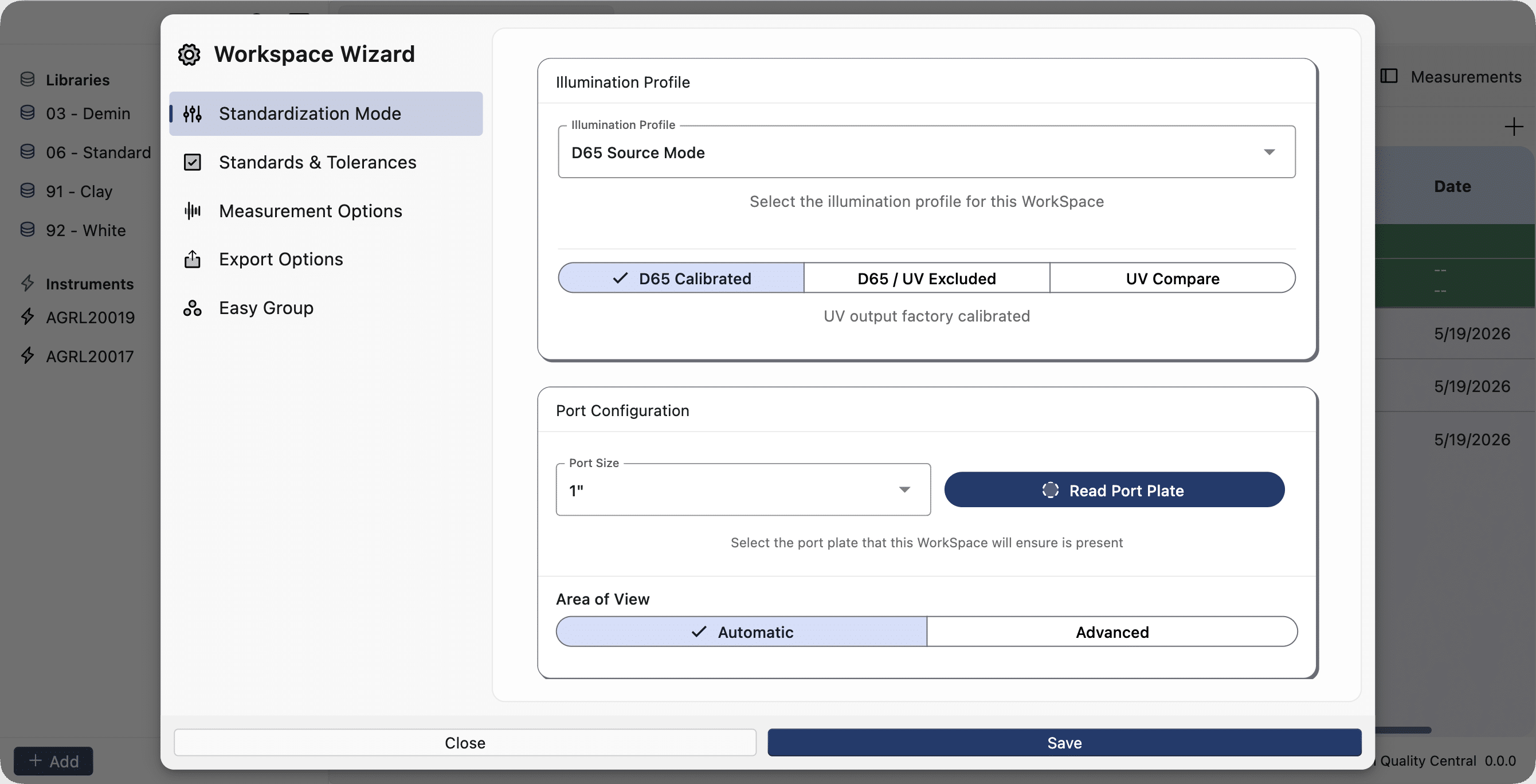
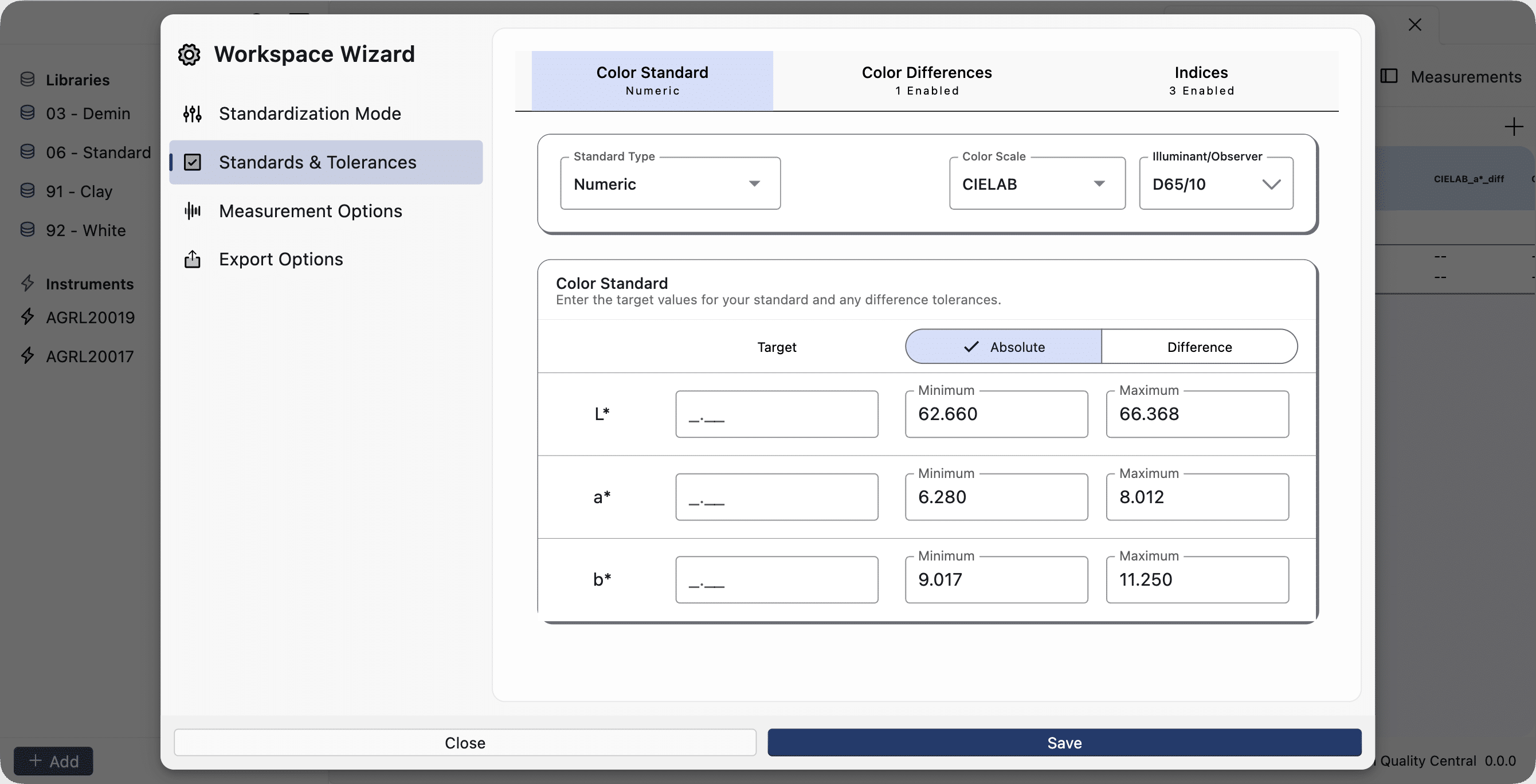
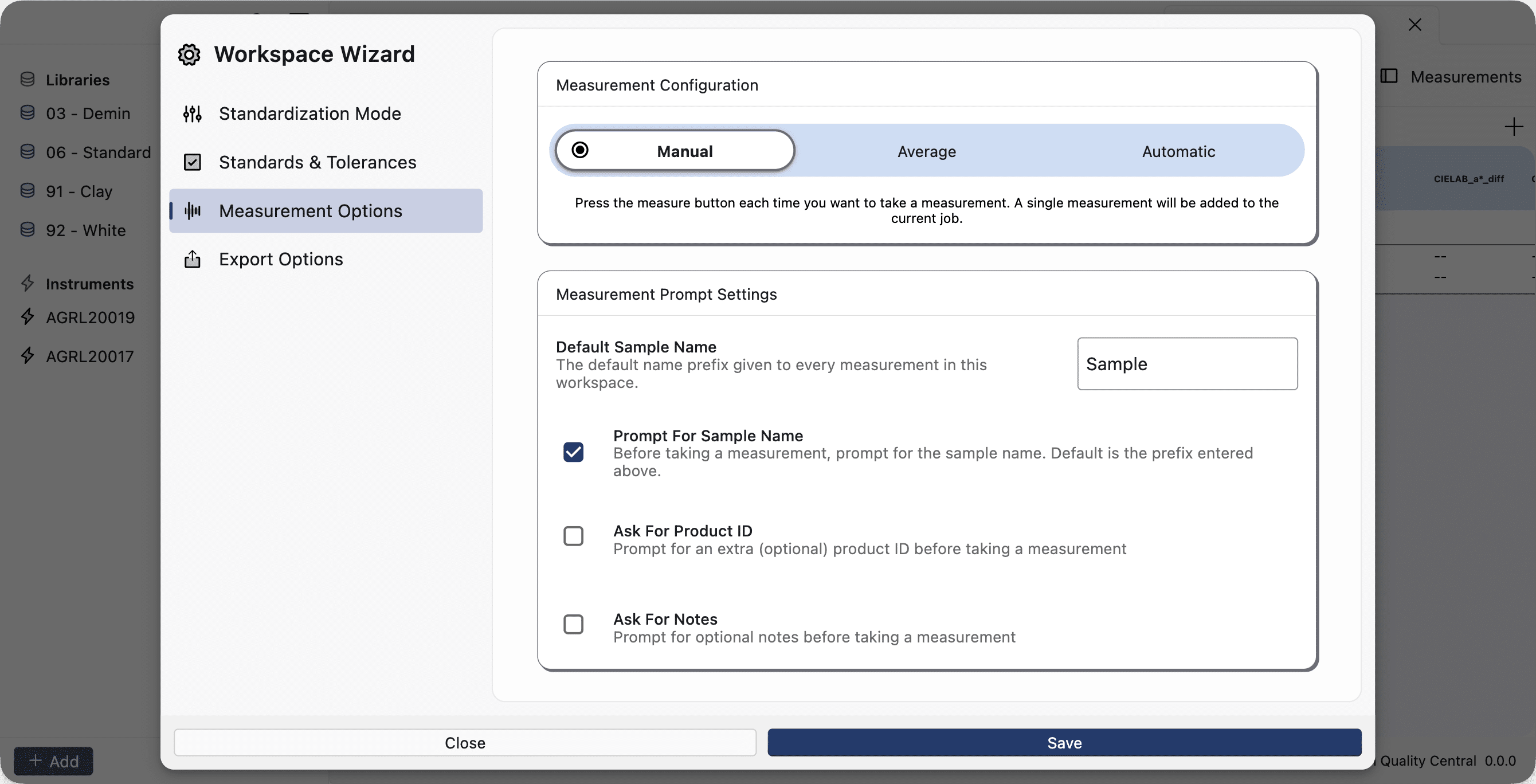
TEMPLATES / WORKSPACE WIZARD
Standards, tolerances, index configurations, and more can be edited directly in Quality Central. Changes made to Remote WorkSpaces are automatically synchronized with the device.
EXPORT FUNCTION
Create attractive PDF reports from any view in Quality Central, or export raw data in CSV format.
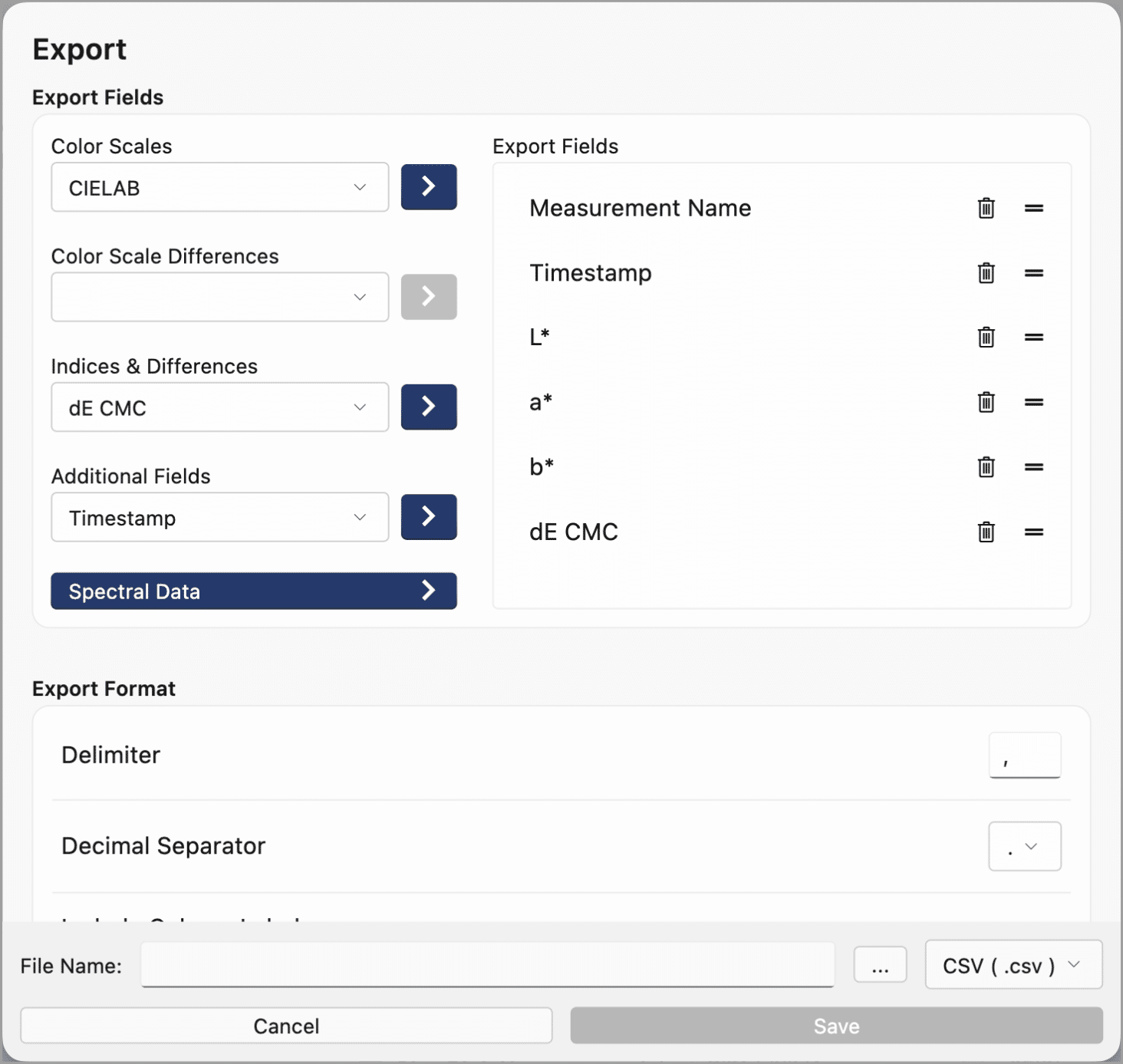
Export CSV files as ASCII files via a USB flash drive or over a network connection to any IP address.
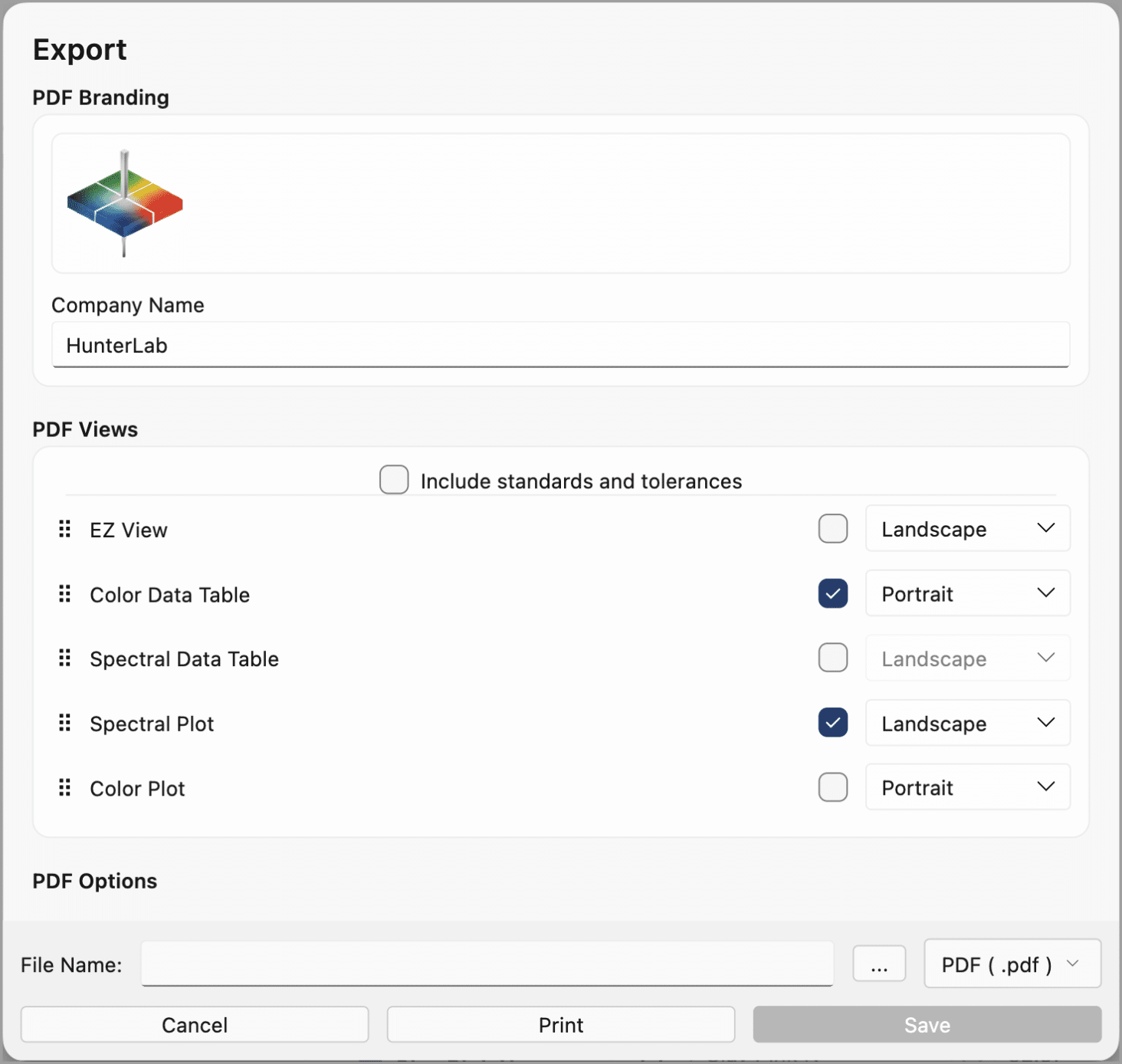
Export the measurement data as a report in PDF format.
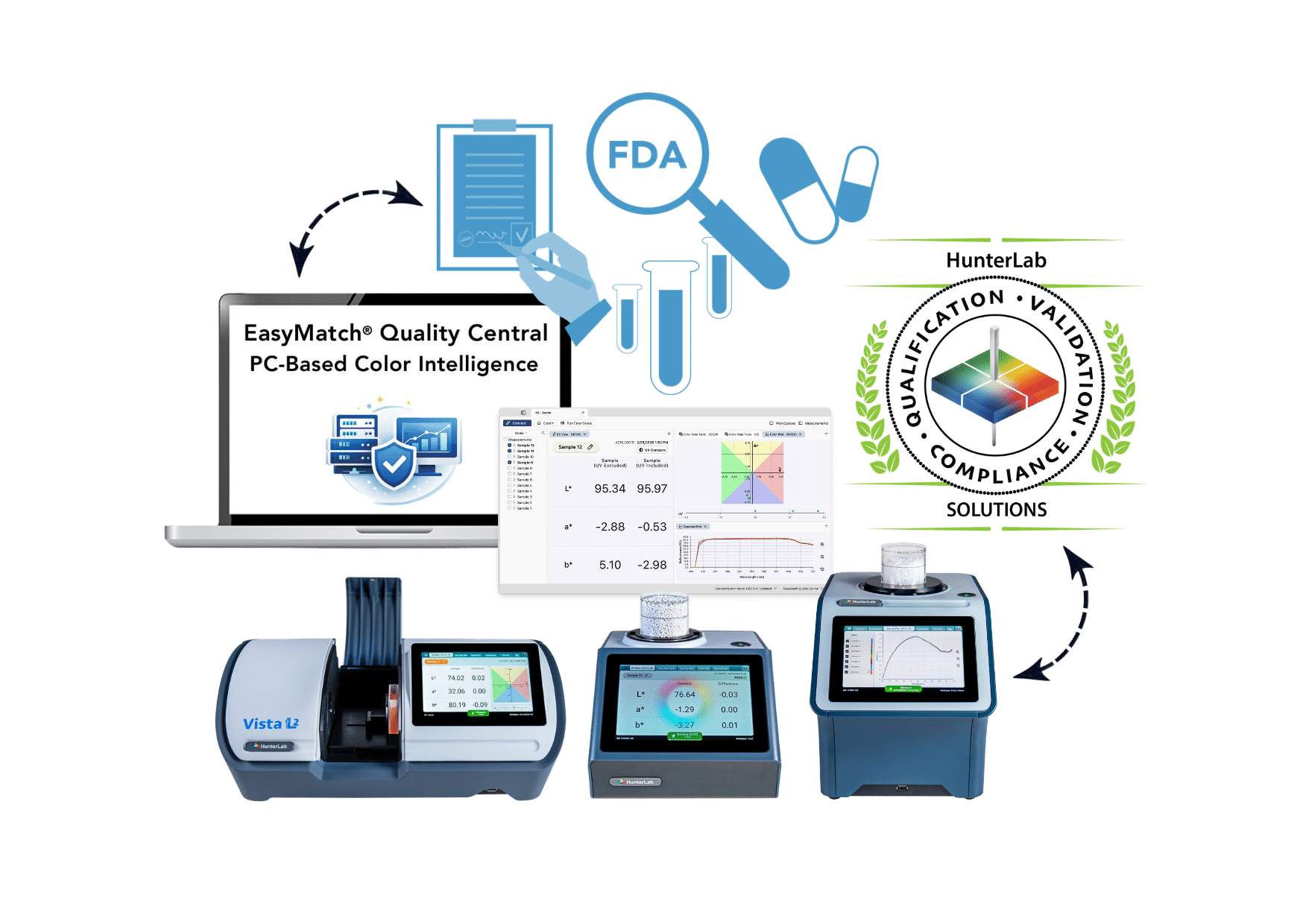
GMP-Compliant Operations – Data Integrity and Compliance
Security and Transparent Processes
The validation of processes within quality assurance in a regulated environment is an essential component of Good Manufacturing Practice (GMP). With Quality Central and a HunterLab instrument equipped with ER firmware (Vista L2-ER, Agera L2-ER, ColorFlex L2-ER), quality managers can comply with legal requirementsten. (To use this feature, a valid Quality Central license for Essentials L2 (version 2026.1 or later) must be activated for the measuring device.)
Once installed, the software enables connection to Essentials L2 devices over the network, central management of color measurement data, and remote calibration and measurement. The ER version ensures compliance with electronic record-keeping requirements and integrates with the device’s functions for validating the ER system and ensuring regulatory compliance.
-
EasyMatch Quality Central, when used in conjunction with an ER meter from HunterLab, offers role-based user permissions, device authentication, and comprehensive audit trail capabilities.
-
The software thus supports controlled and traceable workflows, for example in regulated industries and in applications where requirements for electronic records or 21 CFR Part 11 must be taken into account.
-
The exact configuration should be carried out in accordance with the company's own quality, validation, and compliance requirements.
Conclusion on EasyMatch Quality Central
From Individual Measurements to Centralized Quality Management
EasyMatch Quality Central creates a unified database for all of your color quality control.
Measuring instruments remain operational independently and directly at their respective test stations. At the same time, the quality management team maintains a centralized overview of standards, tolerances, WorkSpaces, measurement results, and changes.
This allows you to consistently define colour quality, reliably monitor it, and systematically manage it across departments and locations.
-
Learn About EasyMatch Quality Central
-
Our colorimetry experts will show you how EasyMatch Quality Central can be integrated into your existing equipment, network, and quality management infrastructure.
FAQ - Frequently Asked Questions About EasyMatch Quality Central
What is EasyMatch Quality Central?
EasyMatch Quality Central is PC-based software for the centralized management of HunterLab measuring instruments, WorkSpaces, standards, tolerances, and colorimetric data. It extends the integrated EasyMatch Essentials L2 software to include centralized data storage, synchronization, and cross-device management functions.
Can measurements be taken directly on a PC using EasyMatch Quality Central?
Yes, using an existing network connection, it is possible to trigger a measurement on the device from a desktop PC. This can be advantageous if plant or shift supervisors want to check in real time what is being measured so they can intervene immediately if necessary (each measurement is synchronized).
Which measuring devices are compatible with EasyMatch Quality Central?
The software works with HunterLab measuring instruments that have EasyMatch Essentials L2 integrated. These currently include the Agera L2, ColorFlex L2, and Vista L2.
Can multiple colour measurement devices be managed at the same time?
Yes. EasyMatch Quality Central was developed for the centralized management of one or more compatible measuring devices. This allows standards, WorkSpaces, and colour data to be organized across multiple measuring devices.
Do the measuring devices work even without a network connection?
Yes. The instruments can continue to operate independently and store measurement results locally. As soon as the network connection is restored, the data is synchronized with EasyMatch Quality Central.
Can existing EasyMatch QC data be imported?
Yes. Existing EasyMatch QC job files can be imported and reused in EasyMatch Quality Central. This ensures that historical measurement data and existing quality information remain accessible.
Can EasyMatch Quality Central be integrated with LIMS or other systems?
Yes. The software supports the integration and export of data to SQL databases, LIMS, SPC, and MES systems, Excel, and custom business applications. ❗️The specific implementation depends on the existing IT infrastructure and the desired data formats.
Does the software support standardized workflows?
When used in conjunction with an ER meter (e.g., Agera L2-ER, ColorFlex L2-ER, or Vista L2-ER), EasyMatch Quality Central offers, among other features, role-based access rights, instrument authentication, and audit trail functions. This supports controlled and traceable workflows as well as processes related to 21 CFR Part 11. Specific compliance and validation depend on the configuration used and the user’s internal procedures.
Your local Partner in UK/Ireland:
-
STOTTO
-
3 Meer End - Interchange Business Park
Birstall Leicester
Leicestershire LE4 3EH -
+44 (0) 116 269 1240
HunterLab EMEA:
-
Europe / Middle East / Africa
HunterLab Europe GmbH
-
Dr.-August-Einsele-Ring 15
82418 Murnau
-
+49 8841 9464
-
Headquarters, North / South America
Hunter Associates Laboratory, Inc.
-
11491 Sunset Hills Road
Reston, VA 20190-5280
-
+1 571 470 6028
-
Asia-Pacific
HunterLab Asia Limited
-
Flat E, 13F Leahander Centre,
28 Wang Wo Tsai Street,
Tsuen Wan,
New Territories,
Hong Kong -
+852 2406 1723
Ask us your question here...
Would you like to talk directly about your application/sample?
If you are located in the UK/Ireland please call
+44 (0) 116 269 1240
If you want to talk to the HunterLab EMEA Team directly call
+49 8841 9464
We will show you the color measurement solution for your product.
Or simply fill out the form below.
Our Color-Experts will be happy to help you!